 bakecut
내가 원하는 모양 그대로의 자막
AI가 빠르게 자막을 생성하고, 단어별 색·폰트를 자유롭게 수정 가능한 무료 프로그램
무료로 시작 · macOS (Apple Silicon)과 Windows · 업로드 없음, 100% 내 컴퓨터에서
🪟 윈도우에서 "알 수 없는 게시자" 경고가 뜨면 추가 정보 → 실행을 누르면 설치됩니다 (정상이에요).
영상 작업이 빨라지는 기능들
단어별 색상부터 애니메이션까지, 자막에 필요한 건 다 들어 있어요.
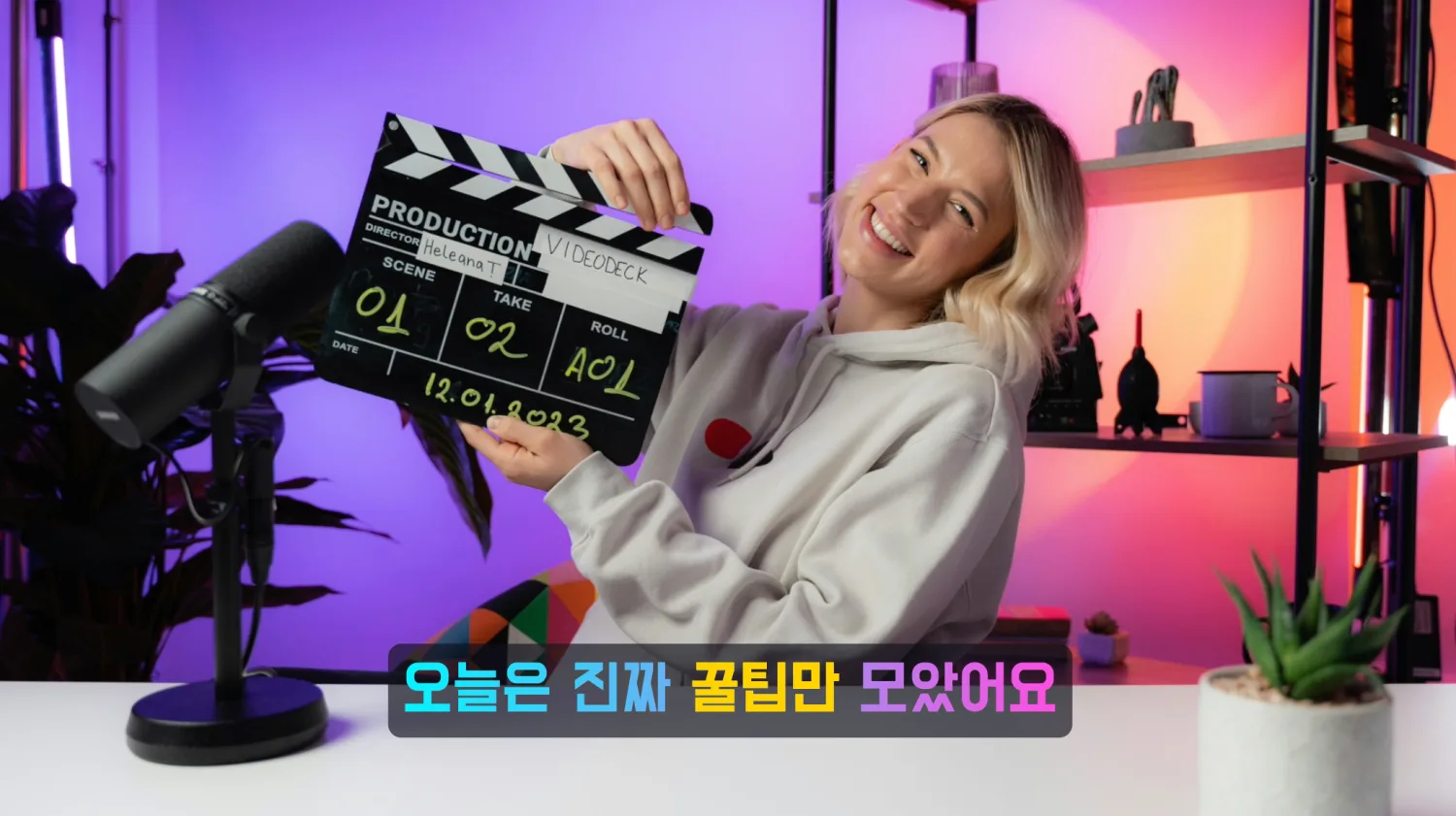
단어 하나하나
색과 폰트를 다르게
다른 편집기는 자막이 통째로 한 덩어리예요. bakecut은 글자마다 색·폰트·크기를 따로 줄 수 있어서, 강조할 단어만 톡 튀게 만듭니다.
- 단어별 색·폰트·크기
- 그라데이션·테두리·그림자
- 템플릿 20종+
말하는 순간
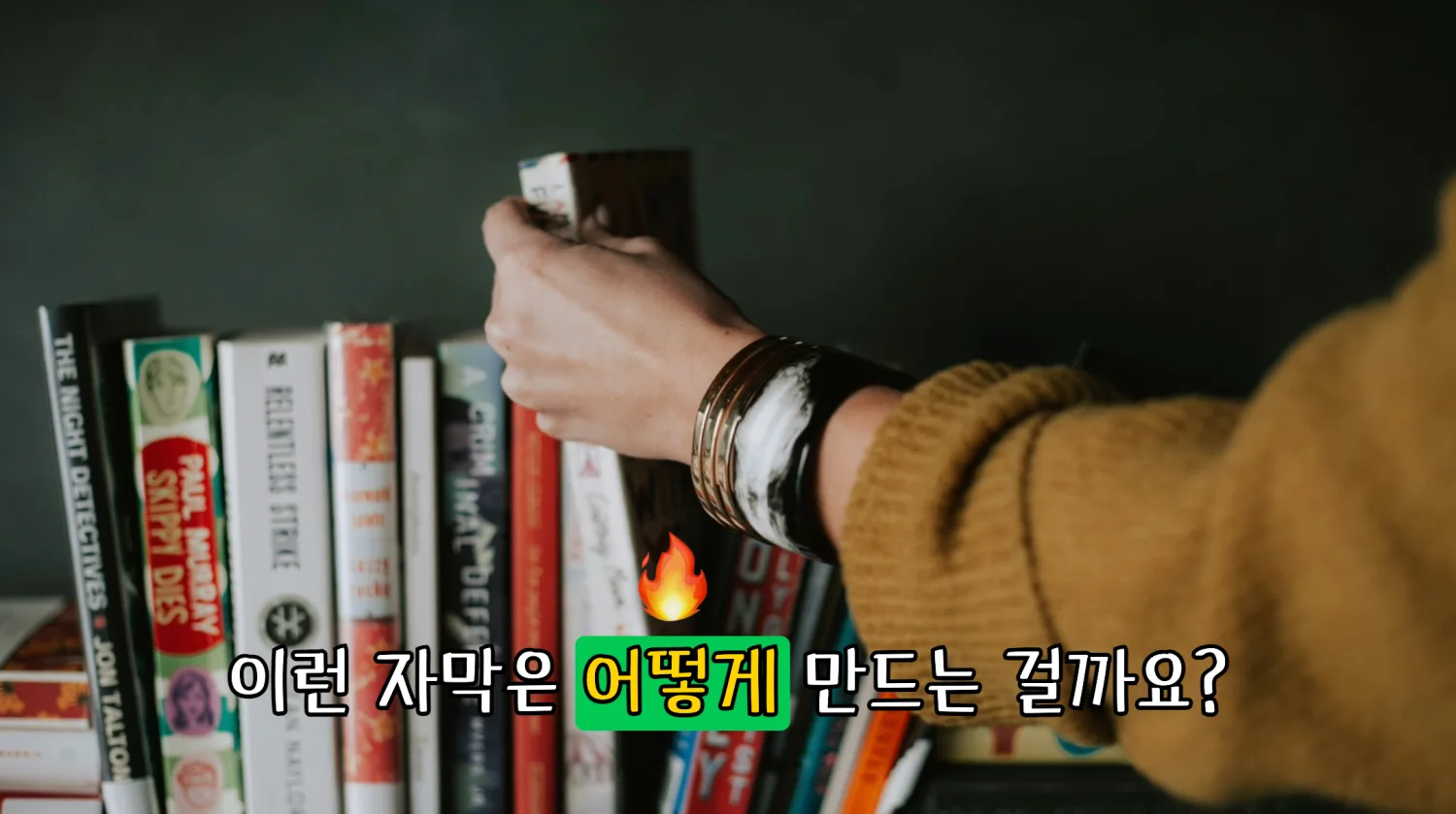
단어가 살아나요
말하는 타이밍에 맞춰 단어가 하나씩 색이 바뀌는 노래방 강조, 핵심 단어 위로 이모지가 톡 튀는 효과까지. 클릭 한 번이면 됩니다.
- 노래방식 단어 강조
- 단어 위에 이모지 적용 가능
- 등장·퇴장 애니메이션
조용한 구간
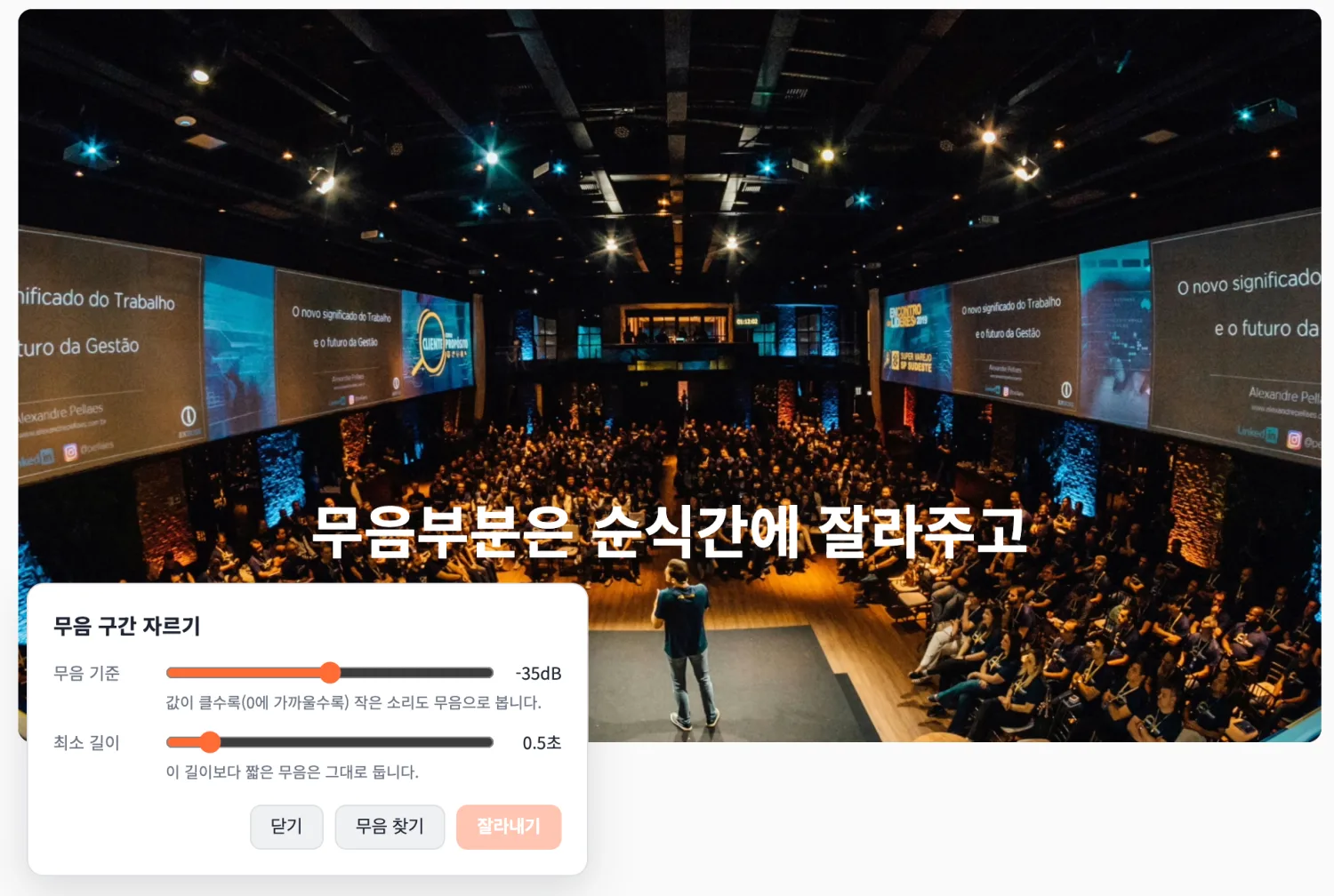
한 번에 잘라내기
말이 없는 빈 구간을 자동으로 찾아 한 번에 제거해요. 영상이 훨씬 쫀득해집니다. 기준(민감도·길이)은 직접 조절할 수 있어요.
- 무음 자동 감지
- 한 번에 일괄 삭제
- 잘라도 언제든 되돌리기 가능
긴 영상에서
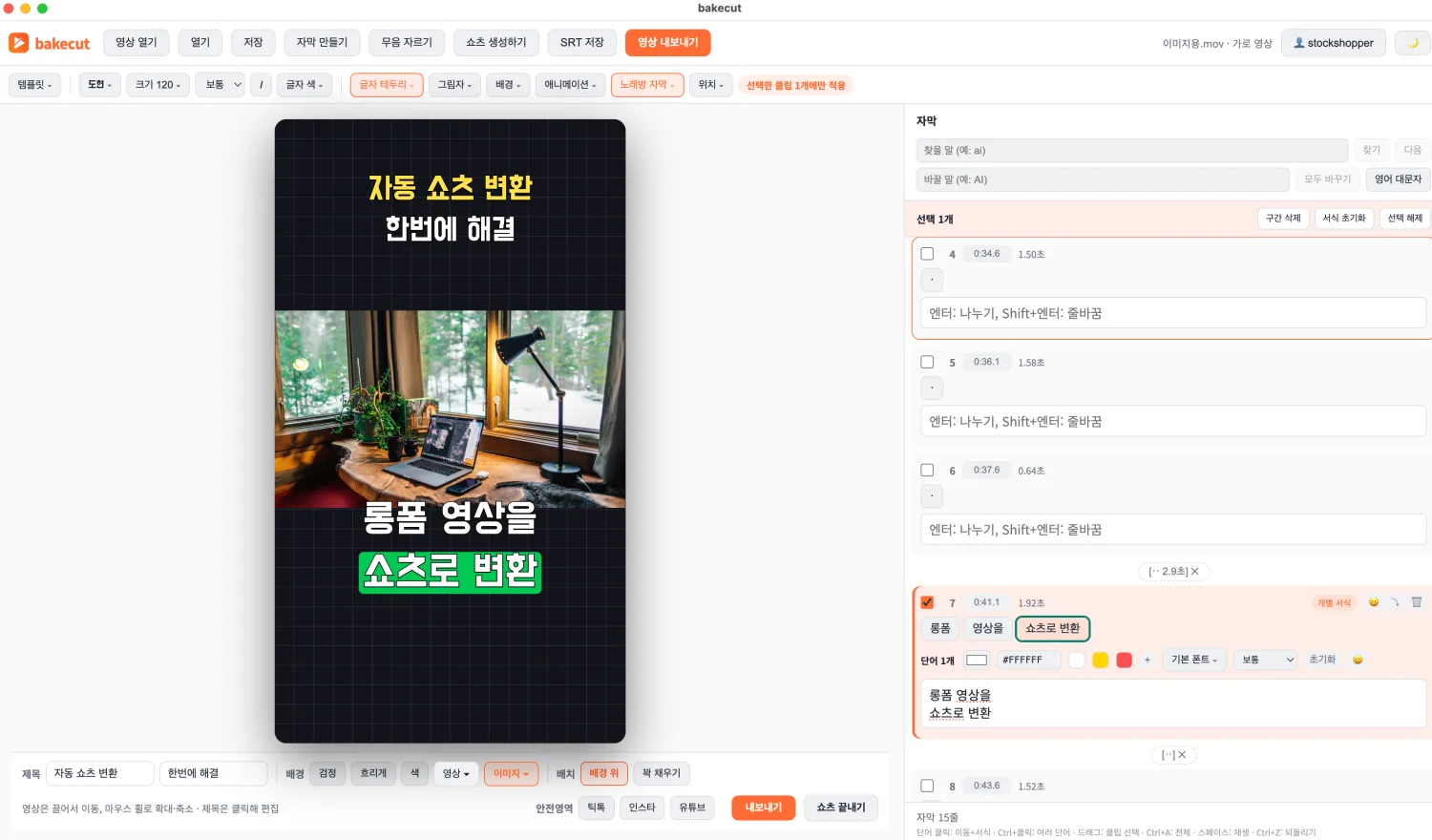
세로 쇼츠 뽑기
긴 영상에서 하이라이트를 골라 세로 쇼츠로 만들어요.
제목·배경·자막까지 한 화면에서 끝냅니다.
- 하이라이트 선별
- 세로 영상 자동 대응
- 제목·배경 꾸미기
정확한 AI 받아쓰기
한국어·영어·일본어 등 90개 언어. 사양에 맞는 모델 선택.
고쳐도 타이밍 유지
오타를 고쳐도 단어별 시간이 안 깨져요.
무료 폰트 90여 종
상업적 사용까지 가능한 무료 폰트 내장.
100% 프라이버시
모든 처리가 내 컴퓨터에서. 영상이 안 나가요.
이렇게 사용해요
세 단계면 끝. 어렵지 않아요.
영상을 열어요
영상 파일을 끌어다 놓으면 끝. 세로 영상도 자동으로 맞춰져요.
AI가 자막을 써줘요
모델 크기와 언어만 고르면 내 컴퓨터에서 받아써요. 어디에도 업로드되지 않아요.
꾸미고 내보내요
오타를 고치고, 단어마다 색을 바꾸고, 이모지를 얹은 다음 내보내요. 미리보기 모습 그대로 영상이 나와요.
가격은 단순하게
무료로 충분히 쓰고, 필요하면 올리세요.
무료
모두에게 터보 AI 모델, 그리고:
- 터보 음성 인식 (최고 정확도)
- 무음 자동 컷·클립 나누기/병합
- 단어별 색·폰트·크기, 노래방 자막
- 무료 폰트 100종 + 모든 템플릿
- 월 쇼츠 만들기 3회 맛보기
프로
무료의 모든 기능, 그리고:
- 워터마크 완전 제거
- 이모지·단어 강조(노래방 자막) 내보내기
- 월 쇼츠 만들기 30회
- 상업용 무료, 안심하고 사용
구독은 앱 안 계정 메뉴에서. 무료 요금제로 전 기능을 바로 써볼 수 있어요.
자주 묻는 질문
영상이 어딘가에 업로드되나요?
아니요. 받아쓰기, 편집, 내보내기 전부 내 컴퓨터 안에서 처리됩니다. 영상이 밖으로 나가지 않아요.
무료로 어디까지 쓸 수 있나요?
매달 AI 받아쓰기 120분과 모든 편집 기능을 쓸 수 있어요. 내보낸 영상에 작은 워터마크가 들어가는데, 영상 제목이나 설명에 출처(bakecut으로 제작)를 적어주시면 무료로도 워터마크 없이 내보낼 수 있습니다.
어떤 언어를 받아쓸 수 있나요?
한국어, 영어, 일본어를 비롯해 Whisper가 지원하는 90개 이상의 언어를 인식해요. 자막 꾸미기는 언어와 상관없이 다 됩니다.
인터넷이 꼭 필요한가요?
AI 받아쓰기를 시작할 때 로그인 확인용으로만 잠깐 필요해요. 편집과 내보내기는 인터넷 없이도 됩니다.
윈도우 버전은 없나요?
네, 지금 받을 수 있어요. 맥과 함께 윈도우(64비트) 버전도 다운로드 페이지에 있습니다.
환불이 되나요?
네. 첫 결제는 7일 이내에 전액 환불됩니다. 환불 정책을 확인해 주세요.
블로그 최신 글
무료 배경음악 사이트 총정리, 유튜브에 안전하게 쓰는 법 (2026년)
유튜브 영상에 안심하고 쓸 수 있는 무료 배경음악(BGM)·효과음 사이트를 정리했습니다. CC0·CC-BY 같은 라이선스 읽는 법, 콘텐츠 ID 클레임 대처법까지 한 번에 확인하세요.
영상편집·제작릴스 vs 쇼츠 vs 틱톡 비교, 뭐가 다르고 어디에 올릴까 (2026년)
세로 영상 3대 플랫폼인 인스타 릴스, 유튜브 쇼츠, 틱톡의 길이·규격·수익화·시청자 차이를 비교했습니다. 하나의 영상을 세 곳에 재활용하는 순서와 주의점까지 정리했어요.
영상편집·제작SRT 파일 만드는 법과 여는 법, 자막 파일 완전 정리 (2026년)
자막 파일의 표준인 SRT의 구조, 만드는 법 3가지, 여는 법과 수정법, 유튜브 업로드 방법까지 정리했습니다. 한글이 깨질 때 인코딩 해결법과 싱크 밀림 대처법도 확인하세요.
bakecut 다운로드
macOS (Apple Silicon)과 Windows(64비트) 버전을 제공합니다.
🪟 윈도우에서 "알 수 없는 게시자" 경고가 뜨면 추가 정보 → 실행을 누르면 설치됩니다 (정상이에요).