 bakecut
Subtitles that look exactly
how you want
A free app that generates subtitles fast with AI, and lets you freely restyle the color and font of every word.
Free to use · macOS (Apple Silicon) & Windows · No upload, 100% on-device
🪟 On Windows, if you see an "unknown publisher" warning, click More info → Run anyway to install (this is normal).
Everything you need to ship videos faster
From per-word color to animation, everything you need for subtitles.
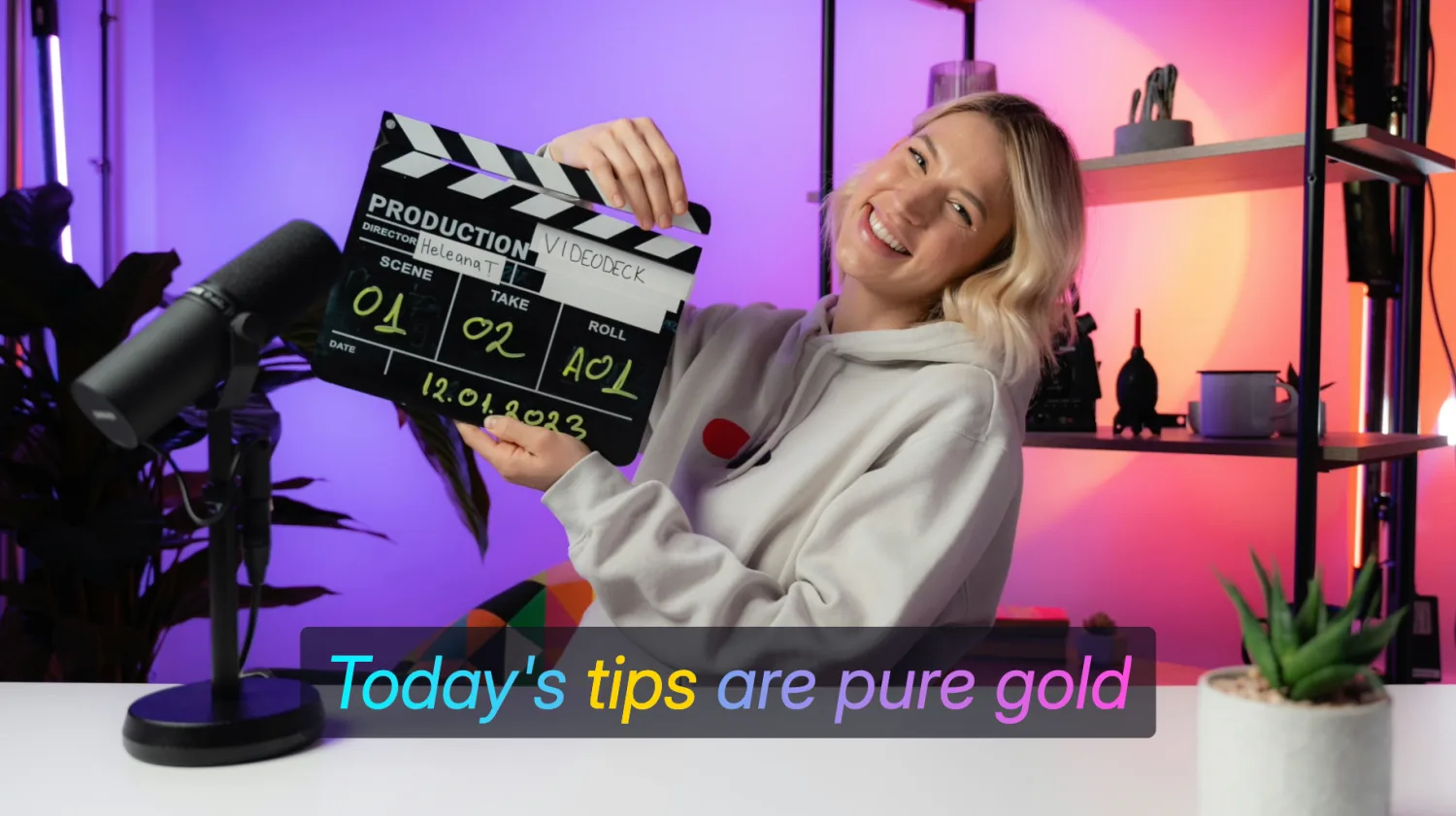
Color and font,
for every single word
Other editors treat a subtitle as one block. bakecut lets you set color, font and size per word, so only the words you want pop.
- Per-word color, font, size
- Gradient, outline, shadow
- 20+ templates
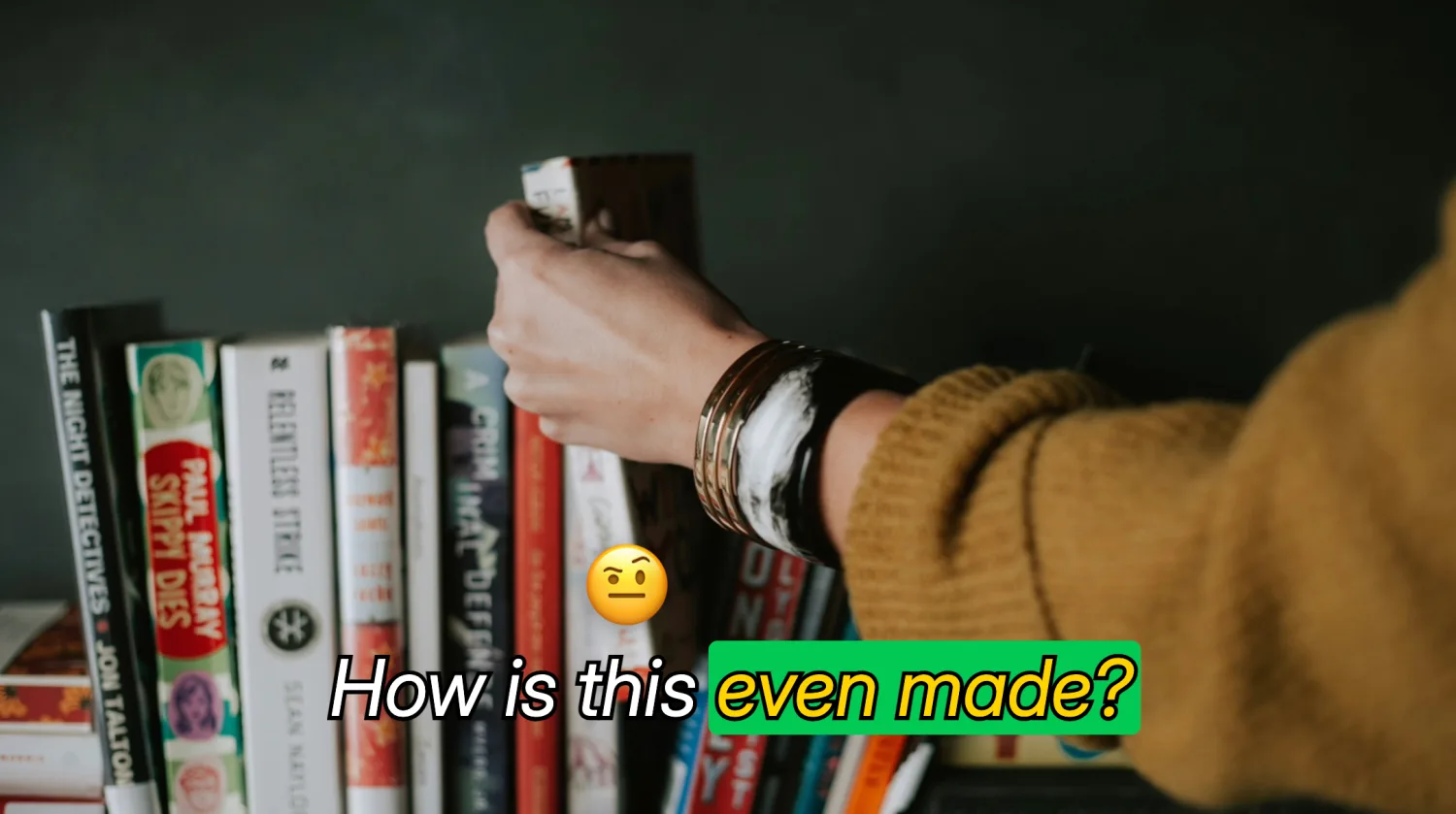
Words come alive
as they're spoken
Words light up one by one in karaoke style as they're spoken, and emoji pop above the key words. One click to turn it on.
- Karaoke word highlight
- Emoji above any word
- In and out animations
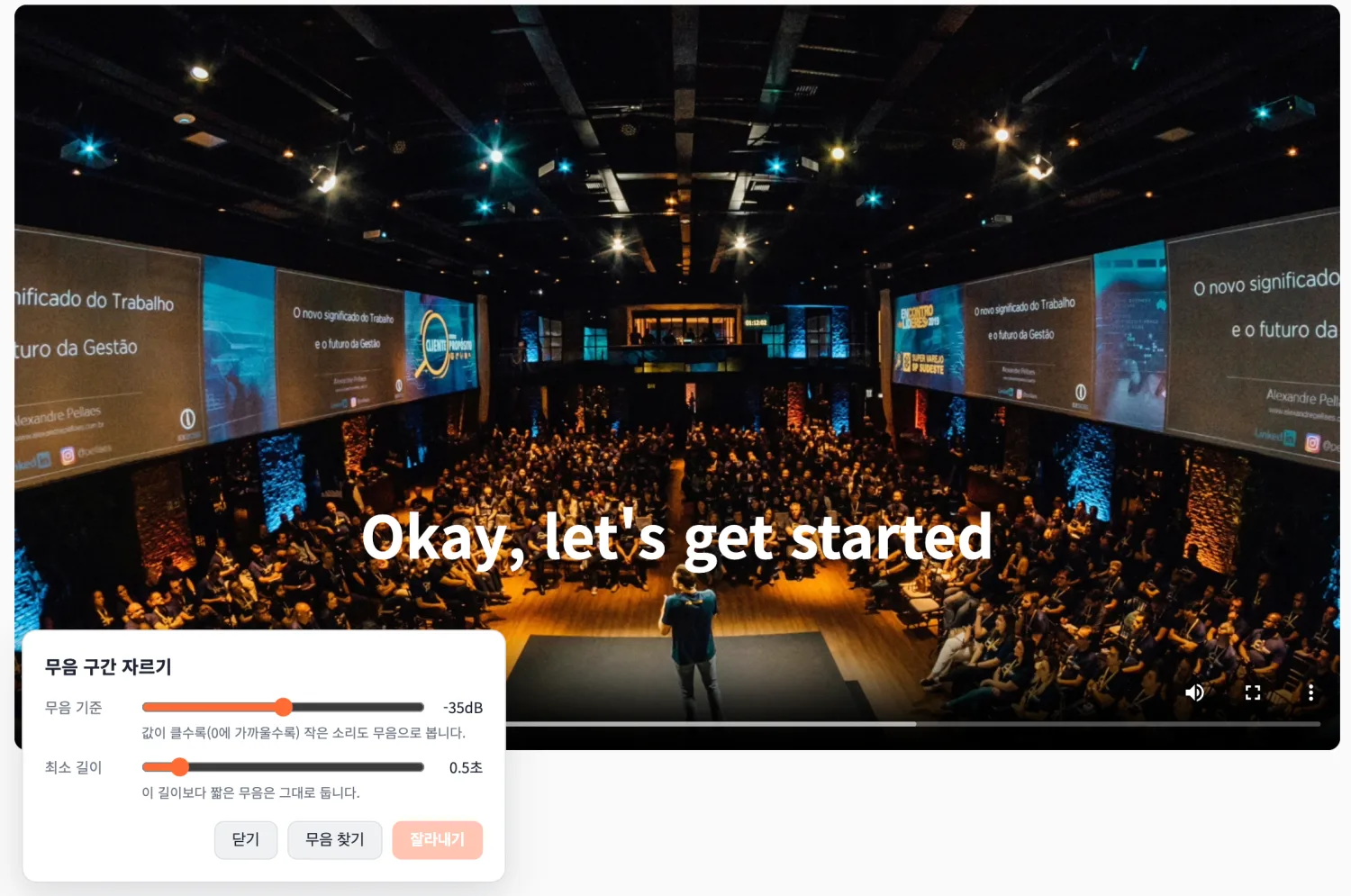
Cut the quiet parts
in one click
Automatically find silent gaps and remove them all at once, so your video feels tighter. Adjust the threshold (sensitivity, length) yourself.
- Auto silence detection
- Remove all at once
- Undo anytime
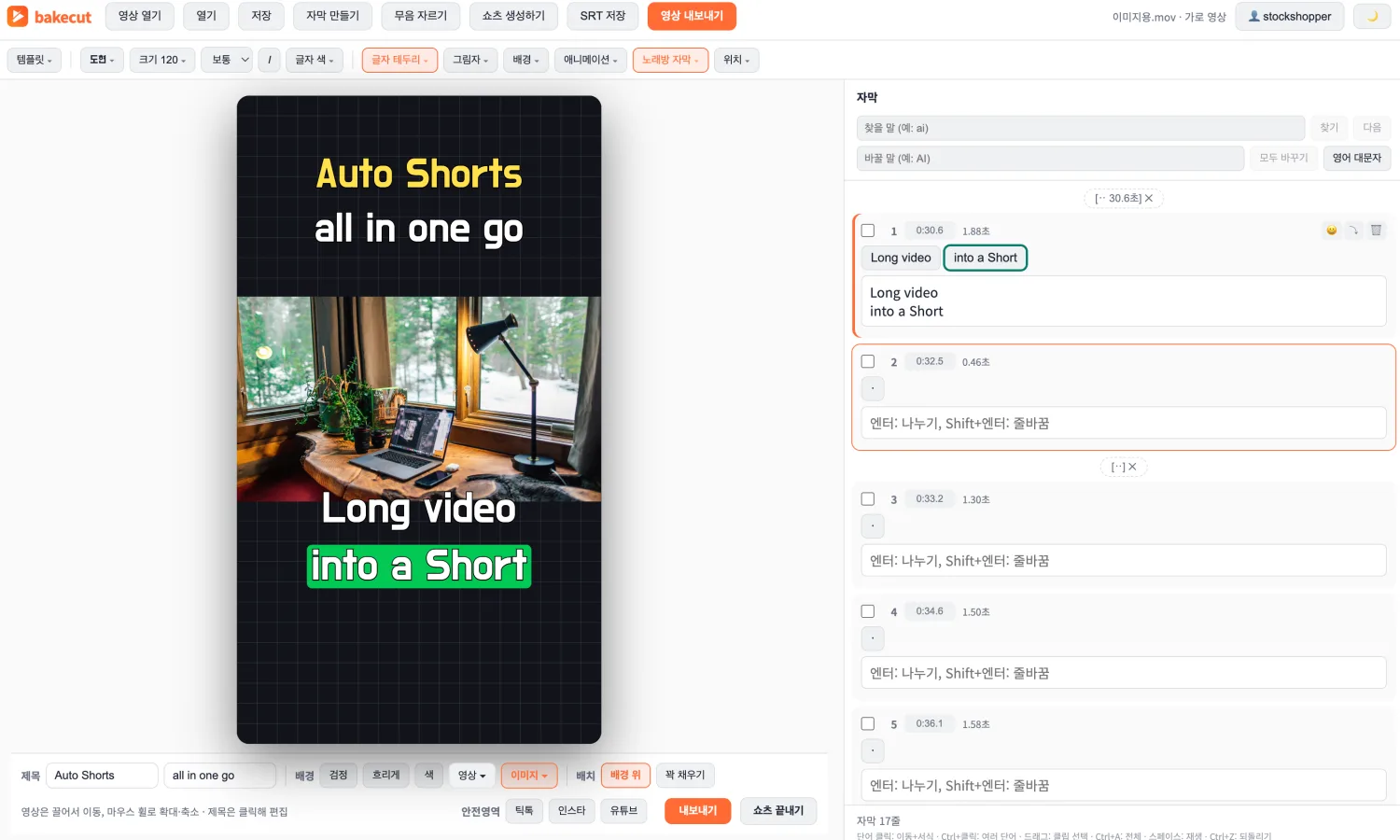
Turn long videos
into vertical Shorts
Pick highlights from a long video and turn them into vertical Shorts.
Title, background and subtitles, all in one screen.
- Highlight selection
- Auto vertical layout
- Style title and background
Accurate AI transcription
Korean, English, Japanese and 90+ languages. Pick a model for your machine.
Edit without losing timing
Fix typos, word timings stay intact.
90+ free fonts
Built-in fonts, free for commercial use.
100% private
Everything runs locally. Nothing is uploaded.
How it works
Three steps. That’s it.
Open your video
Drag and drop any video file. Vertical videos are handled automatically.
AI writes the subtitles
Pick a model size and language. Everything runs on your Mac — nothing is uploaded.
Style and export
Fix typos, color individual words, add emoji pops — then export. What you see is exactly what you get.
Simple pricing
Free is plenty. Upgrade only if you need to.
Free
Turbo AI model for everyone, plus:
- Turbo speech recognition (top accuracy)
- Auto silence cut, clip split/merge
- Per-word color/font/size, karaoke subtitles
- 100 free fonts + all templates
- Make shorts 3×/month (up to 5 each)
Pro
Everything in Free, plus:
- No watermark
- Export emoji & word highlight (karaoke)
- Make shorts 30×/month
- Commercial use, worry-free
Max
Everything in Pro, plus:
- Unlimited subtitle minutes
- Make shorts 100×/month
- Priority processing
- Early access to new features
Subscribe inside the app (Account menu). The Free plan is fully usable today.
Frequently asked questions
Is my video uploaded anywhere?
No. Transcription, editing and export all run locally on your computer. Your footage never leaves your machine.
What does the Free plan include?
120 minutes of AI transcription per month, all editing features, and export with a small watermark. You can remove the watermark for free by crediting bakecut in your video title or description.
Which languages can it transcribe?
Korean, English, Japanese and 90+ other languages supported by Whisper. Subtitle styling works with any language.
Do I need an internet connection?
Only a brief check when you start AI transcription (to verify your sign-in). Editing and exporting work fully offline.
Is there a Windows version?
Yes. Windows (64-bit) is available now on the download page, alongside macOS.
Can I get a refund?
Yes — first purchases are fully refundable within 7 days. See our refund policy.
Download bakecut
bakecut is available for macOS (Apple Silicon) and Windows (64-bit).
🪟 On Windows, if you see an "unknown publisher" warning, click More info → Run anyway to install (this is normal).